What Can WiFi Do? 10 Things Your Home WiFi Should Be Doing in 2026
Zak
1 November 2026
→ Get WiFi In Every Room, With No Fix, No Fee
Most people think of WiFi as the thing that lets the TV work. It's now doing far more than that.
The average UK home has 16 devices connected to WiFi, and 1 in 10 homes has more than 30, according to Opinium research for Uswitch. The same research found 60% of Britons had been frustrated by their WiFi in the previous three months.
So there's a gap between what WiFi can do and what most homes are getting. This guide covers both: the 10 things good home WiFi should be doing, and what's usually stopping yours.
Key Takeaways
- Home WiFi can now run streaming, work, gaming, security, heating and even motion detection
- Most problems are about coverage, not broadband speed
- A faster broadband package won't fix a room the WiFi can't reach
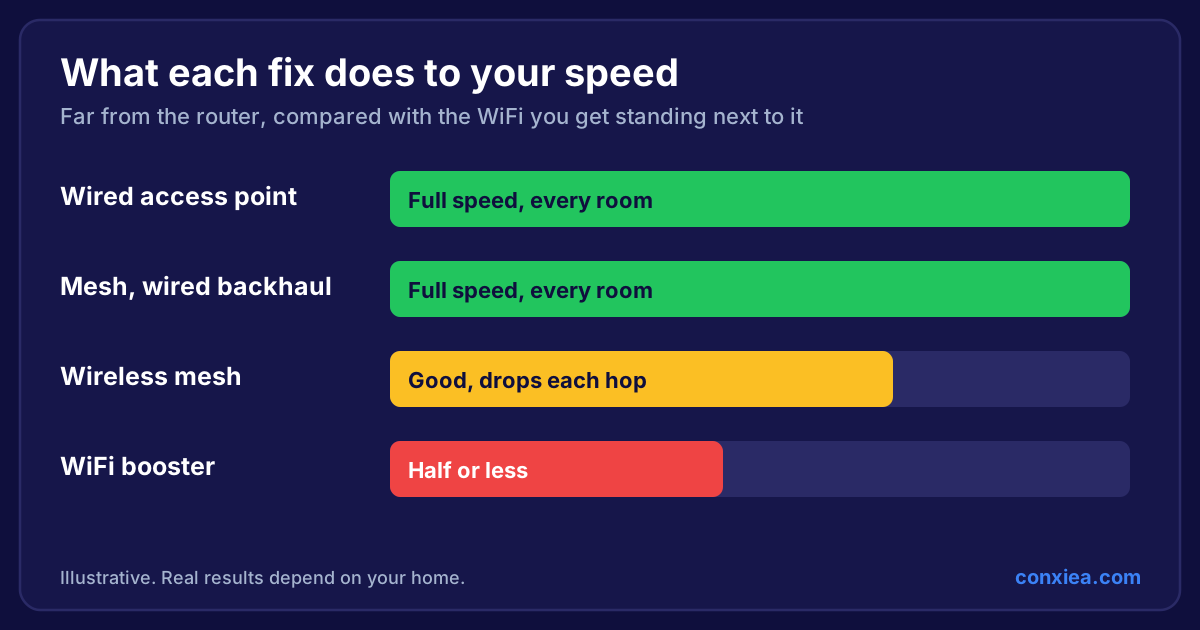
- WiFi boosters usually hide the problem, they don't solve it
- Wired access points give every room the full speed of your connection
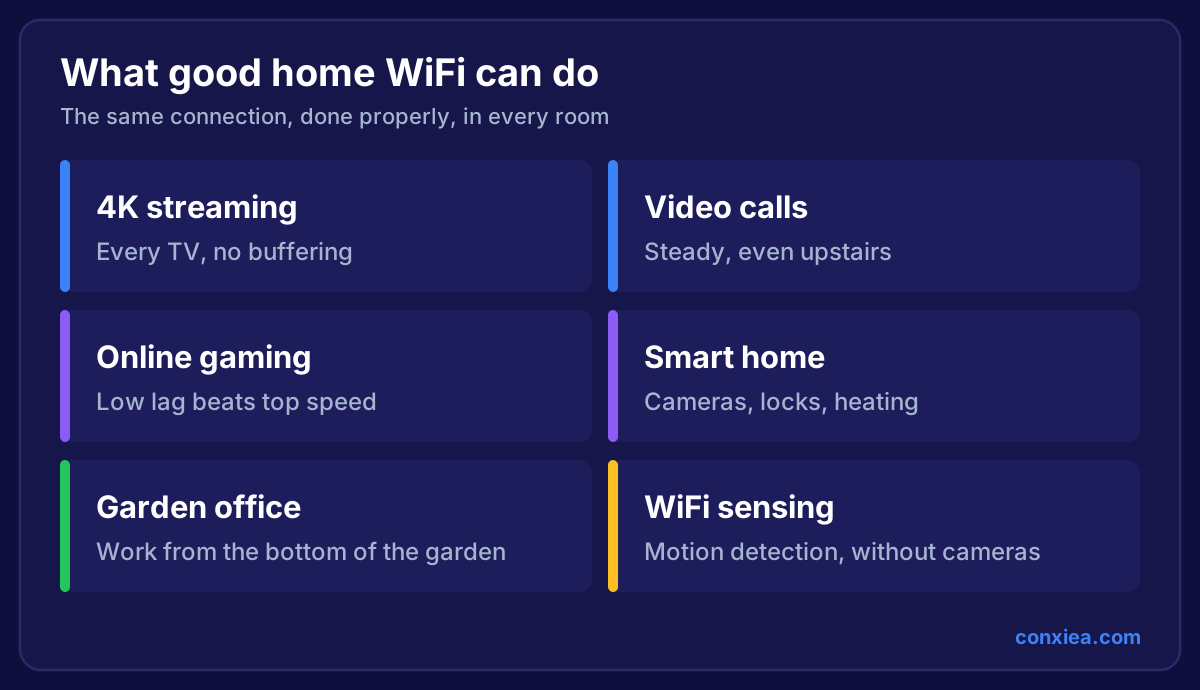 Grid showing what good home WiFi can do: 4K streaming, video calls, online gaming, smart home, garden office and WiFi sensing
1. Stream 4K on Every TV at Once
A single 4K stream only needs around 15 Mbps, so most UK broadband has speed to spare. Buffering usually means the signal is struggling to reach the TV, not that your package is too slow.
2. Keep Video Calls Steady in Any Room
Calls care more about a stable connection than a fast one. A short signal dip that you'd never notice on Netflix will freeze a Teams call. That's why a home office in the spare room can be unusable while the kitchen is fine.
3. Give Gamers Low Lag
Gaming needs low delay, known as latency, more than big download speeds. Every wireless hop adds delay, which is one of the main downfalls of WiFi boosters. A cabled console is still the best option, and a strong access point nearby comes second.
4. Run a Whole Smart Home
Doorbells, cameras, heating, lights, locks and plugs all lean on your WiFi. When they drop offline, it's usually down to weak signal at the edge of your coverage, or an overloaded router. We explain how to fix that in our smart home WiFi guide.

5. Reach the Bottom of the Garden
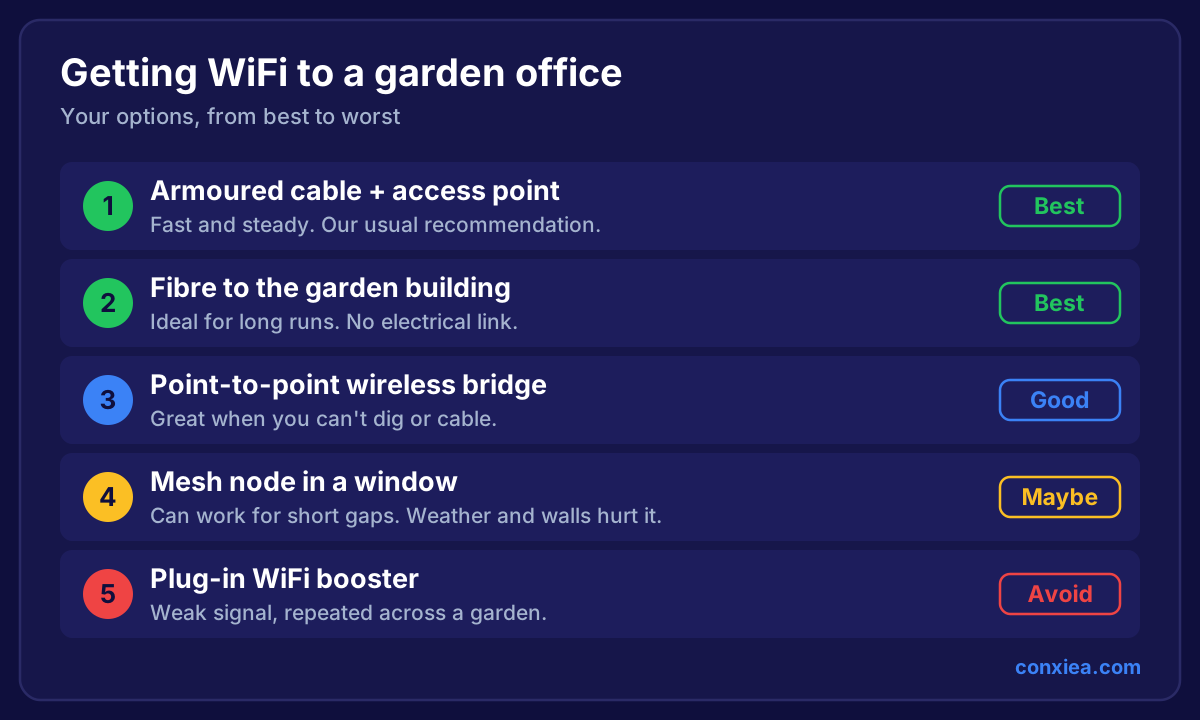
Garden offices, gyms and summer houses have become a normal part of UK homes, and WiFi can reach all of them. It takes more than a stronger router though, because the signal has to get through your outside walls. See how to get WiFi in a garden office for the options that work.
6. Cover Every Room From One Network
You shouldn't have to switch networks walking upstairs. With properly placed access points, your phone moves between them on its own, with one network name for the whole house. Our guide on getting WiFi in every room walks through it.
7. Keep Guests and Smart Devices Separate
Modern routers can run several networks at once. Guests get internet access without seeing your devices, and a cheap smart plug can't get anywhere near your laptop. More on this in our home network best practice rules.
8. Back Up Your Phone Without You Noticing
Photos, cloud backups and system updates all happen in the background, usually overnight. On good WiFi they're invisible. On weak WiFi they're often why everything feels slow in the evening.
9. Use the New 6 GHz Airwaves
This is one of the biggest changes in years. WiFi 6E and WiFi 7 can use the 6 GHz band, which is much less crowded than the older bands. From 10 November 2026, Ofcom's new rules extend UK licence-exempt WiFi from 5925–6425 MHz up to 6585 MHz, giving WiFi more room again.
Whether it's worth buying into is a different question, which we answer in Is WiFi 7 worth it for your home?
10. Sense Movement Without a Camera
This one sounds like science fiction, but it's real. WiFi sensing spots movement by measuring small changes in the signal as people move through it. The IEEE published its 802.11bf sensing standard in September 2025.
It's early days and only some kit supports it, but the likely uses are home security, elderly care and automatically turning off the heating in empty rooms. It's also a fair privacy discussion to have before switching it on.
So Why Doesn't Your WiFi Do All This?
The router is in the wrong place
Most routers sit where the broadband enters the house, often a corner, a hallway cupboard or behind the TV. That was the installer's convenience, not the best spot for your signal.
Your walls are stopping it
Brick, stone, foil-backed insulation, underfloor heating and mirrors all block WiFi. Older South West homes with thick stone walls can be especially hard on signal.
One box can't reach everywhere
A single router, however expensive, is trying to cover a whole house from one point. Faster routers don't fix that, because your phone still has to send a signal back through the same walls.
A booster is making it worse
Boosters are the most common "fix" we see, and rarely the right one. If you've got one plugged in, read the 7 downfalls of WiFi boosters before buying another.
Is It Your WiFi or Your Broadband? A 2-Minute Test
Before you buy anything, find out which one is letting you down. It only takes a phone:
- Stand next to your router and run a speed test
- Walk to the room with the problem and run it again
- Compare the two numbers
| What you see | What it means | What to do |
|---|---|---|
| Slow next to the router and in the room | Likely a broadband problem | Speak to your provider |
| Fast next to the router, slow in the room | A WiFi coverage problem | Improve your coverage |
| Fast everywhere, but it drops out | Possibly interference or a struggling router | Check your setup |
Most homes land in the middle row. That's good news, because it means you don't need a more expensive broadband package.
What Good WiFi Looks Like in Each Part of the Home
| Area | What it needs | The usual problem |
|---|---|---|
| Living room | Steady 4K streaming | Router hidden behind the TV |
| Home office | Stable calls all day | Too far away, or upstairs |
| Bedrooms | Streaming and gaming | Floors and foil-backed plasterboard |
| Front door | Doorbell stays online | Signal has to pass an outside wall |
| Extension | Same WiFi as the house | Old outside wall in the way |
| Garden room | A full connection | Too far, and insulated |
If you're planning an extension or a loft conversion, that's the best time to sort this. Running cable while the walls are open is far easier than doing it afterwards. Our home network build guide explains what to plan for.
What's Coming Next for WiFi
Three trends are shaping home WiFi right now:
- WiFi 7 is the current generation, bringing faster speeds and Multi-Link Operation, which uses more than one band to keep traffic moving
- WiFi 8 is still being written. The IEEE's timeline predicts approval in 2028, and it's aimed at reliability, not top speed
- WiFi sensing could turn your WiFi into a motion sensor, with no extra cameras
Notice the theme. The newest WiFi standard is focused on reliability rather than speed, because that's what people want from it: WiFi that works, in every room, every time.
How to Get All of It Working
The fix is the same in most homes: put WiFi where you use it, and connect it back with a cable.
- Survey the home to find where the signal drops and why
- Run cable to a small number of well-placed access points
- Fit the access points, usually on a ceiling or high on a wall
- Set up one network so devices move around the house smoothly
- Test every room so you know it works
 Conxiea engineer beside a ceiling-mounted WiFi access point
A wired access point gets the full connection through a cable, not through the air. That's what separates it from a booster, and it's why we use them. For a side-by-side look, see extender vs mesh vs wired access points.
Frequently Asked Questions
What is WiFi used for at home?
Mainly streaming, video calls, gaming, working from home and running smart devices like cameras and heating. The average UK home now has 16 devices connected.
Is WiFi the same as the internet?
No. Your broadband brings the internet to your house. WiFi carries it around the house. You can have fast broadband and poor WiFi, which is why upgrading your package often changes nothing.
Do I need faster broadband for better WiFi?
Usually not. If it's fast next to the router and slow elsewhere, the problem is coverage. Our slow internet troubleshooting guide shows you how to check.
Can WiFi reach my garden?
Yes, but usually not from your indoor router alone. A cabled access point in the garden building is the reliable way to do it.
Want your WiFi doing all of this, in every room?
We survey your home, fit proper access points and test every room, at one fixed price, across the South West. No extenders, no guesswork, and if it isn't fixed, you don't pay.
→ See Our Home WiFi Installation Service
Prefer to talk to the engineer first? Meet your local home WiFi installer.