9 Firewall Configuration Mistakes That Leave Small Businesses Exposed
Zak
8 November 2026
→ Get A Free Firewall Check, Book a Consultation
"We've got a firewall" is one of the most common things we hear, and one of the least reassuring.
A firewall does exactly what its configuration tells it to. When we review small business firewalls, we find the same mistakes again and again. None of them need new hardware to fix. Most take less than an hour.
Here they are, ranked by how much risk they add.
Key Takeaways
- The worst mistakes are about access to the firewall itself: admin pages and passwords
- Port forwarding remote desktop is still one of the most common ways in
- "Allow any any" rules quietly undo everything else
- A flat network lets one infected device reach everything
- Old firmware, no logging and no backups turn a small problem into a big one
- All nine can be fixed without buying anything
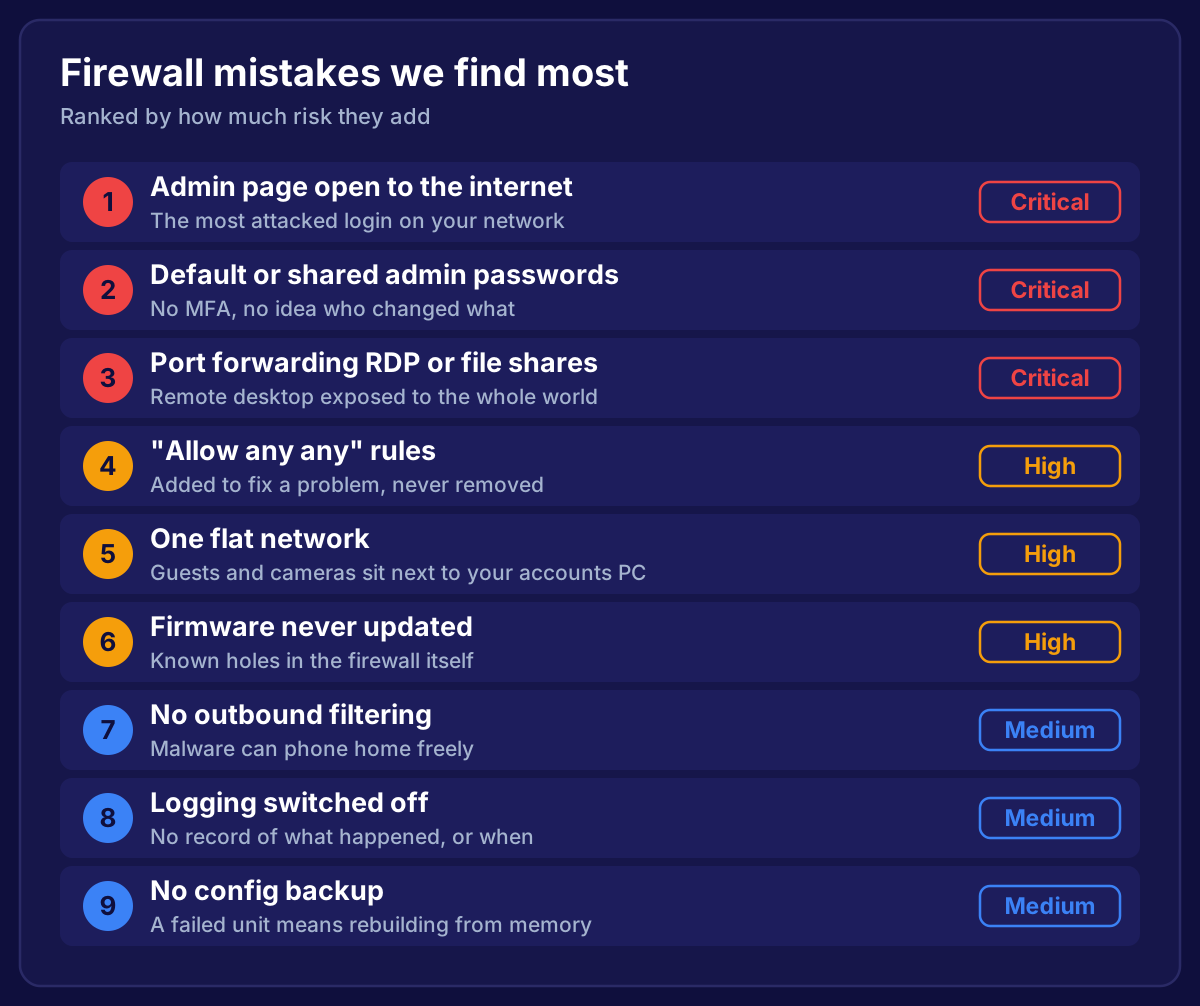 Nine firewall configuration mistakes ranked by risk: three critical, three high and three medium
1. The Admin Page Is Open to the Internet (Critical)
If you can log in to your firewall from home without a VPN, so can everyone else. Attackers scan the whole internet for firewall login pages, then try passwords and known vulnerabilities against them.
How to check: from outside your network, browse to your public IP address on ports 443, 8443 and 4443. If a login page appears, it's exposed.
The fix: remove HTTPS and SSH admin from the internet-facing interface. Manage the firewall from inside the network, or over the VPN. If remote management is truly needed, restrict it to a short list of trusted IP addresses and use MFA. Cyber Essentials requires one or the other.
2. Default or Shared Admin Passwords (Critical)
We still find firewalls on the default login, or one shared "admin" password known by the IT person, the previous IT person, and a supplier from three years ago.
The fix:
- A named admin account for each person
- Strong, unique passwords
- MFA on every admin login
- Remove accounts the moment someone leaves
Named accounts also mean the logs show who changed what.
3. Port Forwarding Remote Desktop or File Shares (Critical)
Port forwarding RDP (port 3389) to an office PC so someone can work from home is quick and easy. It's also one of the most common ways ransomware gets into small businesses. Exposed RDP is attacked constantly.
The same goes for forwarding file shares (SMB), NAS admin pages, or CCTV recorders.
The fix: close the port forwards and give remote users a VPN with MFA. If a CCTV app needs remote viewing, use the manufacturer's cloud service, or the VPN, rather than an open port.
4. "Allow Any Any" Rules (High)
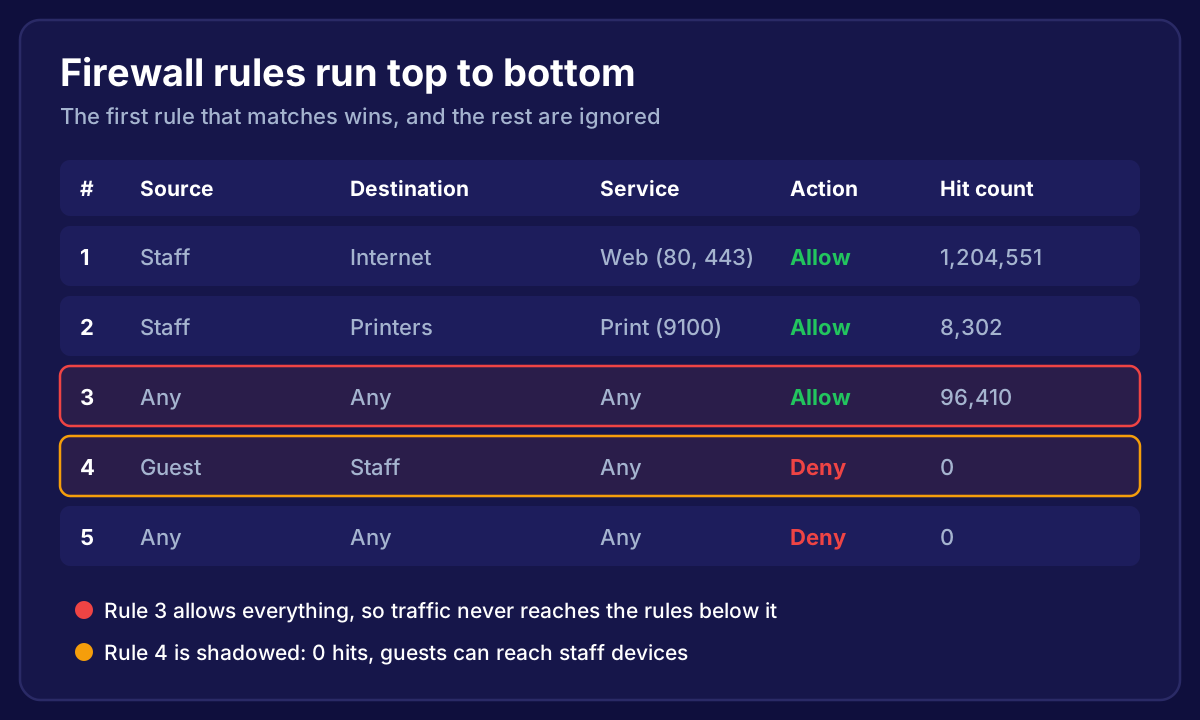
Something stops working, someone adds "allow any source, any destination, any service" to fix it, and it never gets removed. Because firewall rules are read top to bottom, that one rule can override every block underneath it.
The fix: find any rule with "any" in the source, destination and service. Use the logs and hit counts to see what traffic it actually carries, write narrow rules for that, then remove it. We explain how in firewall rules best practices.
5. One Flat Network (High)
On a flat network, the guest WiFi, the CCTV cameras, the smart TV in reception and the accounts PC can all see each other. Cheap IoT devices are often poorly secured, and if one is compromised, it's sitting right next to your most important data.
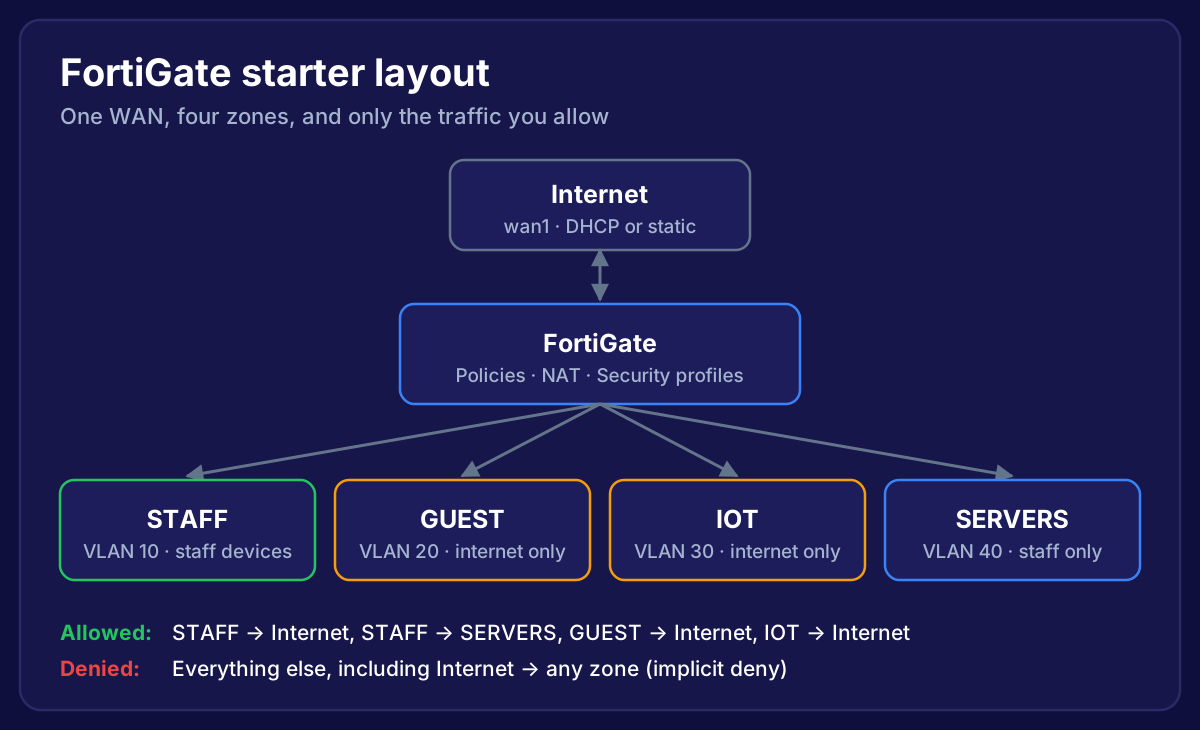
The fix: split the network into zones with VLANs. Staff, guests, IoT and servers at a minimum, plus payments if you take cards. Then only allow the traffic each zone genuinely needs. Guest WiFi should reach the internet and nothing else.
6. Firmware Never Updated (High)
Firewalls have vulnerabilities too, and some of the most serious attacks of recent years targeted firewall and VPN software directly. A firewall that hasn't been updated in two years may have publicly known holes.
The fix: check the firmware version against the vendor's recommended release, plan an update, and put a quarterly check in the calendar. Make sure the firewall is still supported. If it's past end of life, it won't get fixes at all.
7. No Outbound Filtering (Medium)
Most firewalls block inbound traffic but let everything out. If a laptop gets infected, the malware can reach its control servers and send your data out without anything noticing.
The fix: you don't need to lock outbound down completely. Turn on web and DNS filtering, block categories you don't need, enable intrusion prevention, and block outbound services ordinary devices never use, such as sending email directly on port 25.
8. Logging Switched Off (Medium)
Without logs, you can't tell what happened during an incident, how long it went on, or what was accessed. Many firewalls keep only a small amount of logs locally, and lose them on reboot.
The fix: log denied traffic and important allowed traffic, and send the logs somewhere off the firewall. Set alerts for admin logins and configuration changes.
9. No Configuration Backup (Medium)
When a firewall dies, or a change goes wrong, a backup turns a day of downtime into half an hour. Without one, someone has to rebuild every rule, VPN and VLAN from memory.
The fix: back up the config after every change, store it securely off the firewall, and keep a few older versions. Write down the basics too: IP ranges, VLANs, and what each rule is for.
Bonus: Nobody Owns the Firewall
Behind most of these mistakes is the same problem. The firewall was set up once, the person who set it up moved on, and nobody has looked at it since.
Give it an owner, internal or external, with a quarterly review in the diary. That one change prevents most of this list.
How to Check Your Own Firewall in 15 Minutes
- From outside, try to reach your firewall's login page on your public IP
- Look at the admin accounts. Are they named, with MFA?
- Check the port forwards (sometimes called virtual servers, NAT rules or virtual IPs)
- Search the rules for "any" in source, destination and service
- Check the firmware version and the date it was installed
- Find out whether logs and backups exist, and where
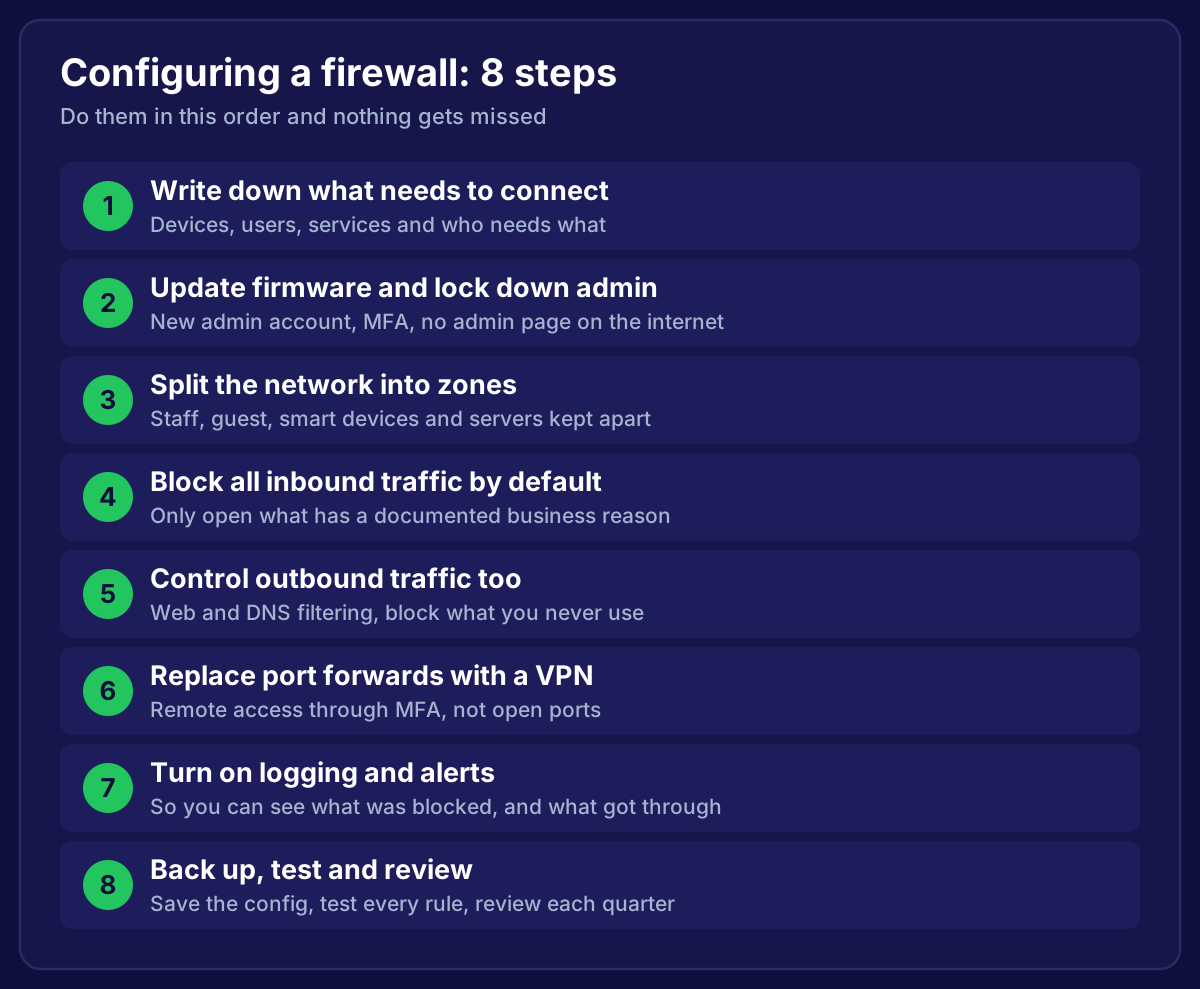
If any of those make you uneasy, start with our step-by-step guide to configuring a firewall.
Frequently Asked Questions
What is the most common firewall misconfiguration?
In small businesses, it's management access left open to the internet, followed closely by old port forwards and overly broad allow rules.
Can a misconfigured firewall be worse than no firewall?
It can give a false sense of security. A firewall with an any-any rule and an exposed admin page protects very little, but everyone assumes it's fine.
How often should a firewall be audited?
Review the rules every quarter, and do a fuller audit once a year or after any major change, such as an office move or a new system.
Do these mistakes affect Cyber Essentials?
Yes. Several of them, including default passwords, exposed admin interfaces and undocumented inbound rules, would fail the firewall requirements.
Worried your firewall has some of these?
We check and fix firewalls for small businesses across the South West. We'll go through every point on this list, fix what's wrong, and give you a short report in plain English. If nothing needs changing, we'll tell you that too.
→ Book Your Free Firewall Check